
"We need an app: native or hybrid?" It's one of the first questions we get when a company decides to bring its product to customers' phones. It's a legitimate question, because behind it sits a very real concern: not getting an investment meant to last for years wrong. The honest answer, though, is that as it stands the question is incomplete.
The comparison usually opens and closes on performance: which of the two is faster, which scrolls more smoothly. It's the ground on which fifteen years of debate have played out, and it's also the one that matters least today. A native app speaks the native language of the device it runs on: it's written with the same tools Apple and Google build for their own platforms. A cross-platform app relies on an interpreter instead: a single text, translated simultaneously into two languages. And an excellent interpreter genuinely exists today.
The real point is different. An excellent interpreter is enough for most conversations, but not for all of them. Above all, it ties you to their availability. There's no absolute winner between the two paths: there's the right choice for that product, at that moment, with that time horizon ahead of it. And it's precisely the time horizon, as we'll see, that weighs more than people think.
Native, hybrid, cross-platform: three families not to confuse
Much of the confusion on this topic, including many of the statistics that circulate, comes from lumping very different technologies into the same basket. There are three families.
Native apps are written in the languages and tools of the platform: Swift and SwiftUI for iOS, Kotlin and Jetpack Compose for Android. That means two separate builds, one for each operating system.
Hybrid apps, strictly speaking, are built with web technologies (the same ones used for websites) and run inside a WebView: a browser embedded in the app, invisible to the user. That's the definition given by the makers of these tools themselves, such as Cordova or Capacitor.
Compiled cross-platform is the third family, the one made up of Flutter and React Native. There's no WebView here: Flutter compiles to native code and draws the interface with its own graphics engine, while React Native drives the system's own components directly. These are far more solid solutions than classic hybrid, and confusing them with it is the most common mistake in the category.
In everyday language, "hybrid" ends up covering both of the last two families. Here we'll use the precise terms, because the differences between the three aren't just nuances.
Is performance still the real deciding factor?
No, and it's worth saying that up front before anything else.
A 2025 comparison, run with public code and therefore repeatable by anyone on two flagship phones, measured Flutter as the smoothest at scrolling long lists: no dropped frames, on either platform, matching or beating native. The old assumption that "native is always faster" no longer holds up.
The same comparison, though, shows two points where native wins clearly, and they're points the end user actually notices. The first is memory usage: the native app uses just over a third of what Flutter uses and about a fifth of what React Native uses. The second is download package size: comparing the simplest possible app on both paths, the native package is roughly a third the size of the Flutter one on Android, and on iOS the gap reaches forty times. The reason is structural, and Flutter itself states it in its own documentation: every app carries its own graphics engine along with it, and that engine has to be downloaded together with the app.
That said, here's the honest summary: for a typical business or service app, your user won't notice any speed difference between the two paths. The real differences lie elsewhere, and that's where the decision should shift.

User experience: speaking the platform's language
This is where the difference starts to show. Flutter, by its own documentation, doesn't use the operating system's native components: it redraws all of them with its own engine. The result is that the app can look a lot like an iOS or Android app, but it doesn't automatically inherit their behaviors, their updates, their evolution.
There's a recent example that's very telling. With iOS 26, Apple introduced a new visual language for the whole system, "Liquid Glass": apps written with Apple's own tools received it on day one. The Flutter team, on the other hand, has publicly stated that it isn't building the new components for now and isn't accepting contributions on the matter. Anyone with a Flutter app simply waits.
This isn't an accident: it's the consequence of where the platforms invest. Apple is pushing SwiftUI, Google calls itself "Kotlin-first": Jetpack Compose exists only for Kotlin, more than seventy of Google's own apps are written in Kotlin, and according to Google's own data, Android apps using Kotlin are 20% less likely to crash. These are the very tools Apple and Google use to build their own platforms — which is why they're the first to align with every change those platforms go through.
On strict hybrid, the signal is even more direct: the App Store guidelines explicitly require an app to be something more than "a repackaged website." They don't ban anything, but they make it clear where Apple sets the bar.
Finally, both Flutter and React Native document that, for the system functions they don't cover, native code still has to be written: each has its own dedicated mechanism to act as a bridge. Cross-platform reduces duplicate work; it doesn't eliminate the need for native expertise — it shifts it and concentrates it at the trickiest points.
When the app controls a physical object: the IoT case
So far we've talked about apps that talk to a server. When they talk to a physical object instead — a home automation system, a radiator, a pair of smart glasses — we enter the Internet of Things, or IoT: connected objects exchanging data, with an app acting as the interface to control them. Here the nature of the problem changes: it's no longer enough for the interpreter to translate words — it has to respect timings and behaviors it doesn't get to decide on its own.
Talking to a physical object, in fact, isn't a feature of the app: it's a permission the operating system grants, on its own terms. There are different paths, and each has its own rules: the object can make itself discoverable on the home Wi-Fi network, create its own network that the phone connects to directly, go through a hub that acts as an intermediary, or — when it needs to last months on a small battery — speak Bluetooth Low Energy, or BLE, the low-power version of Bluetooth. Every one of these paths runs through operating system functions, not components bolted on from outside: they evolve with the OS and follow its rules.
The rules get stricter precisely in the typical IoT scenario: when the app has to keep listening in the background — that is, when it's not the one in the foreground, because the user is using another app or has the phone locked in their pocket. In that case, on iOS, the app has to declare in advance that it intends to do so, and in exchange it gets less than it would in the foreground: if it's scanning for Bluetooth devices, repeated sightings of the same device get coalesced, scan intervals get longer, and finding the object can take more time. These are details that never show up in a quote, and they decide everything out in the field: it's the difference between an app that syncs on its own and one that only does so when the user remembers to open it..
In cross-platform, on the other hand, BLE doesn't come from the system: it comes from libraries written and maintained by third parties. On Flutter, the most widely used one is published by an independent maintainer, not Google; on React Native, by an outside company, not Meta. These are solid, widely used projects, but they remain external, and it's the libraries themselves that state in writing what they don't cover: certain communication modes, classic Bluetooth, background operation on Android — for which yet other third-party components are needed. Every stated limitation is one more link in a chain you don't control.
Even the first device pairing, when a freshly bought object joins the home network, is a function the two operating systems have built to their own specifications and keep close hold of. Android has one built specifically to set up connected objects like speakers and TVs; on iOS, using the equivalent isn't just a matter of writing the code — it has to be requested as a declared capability, and Apple has to grant it.
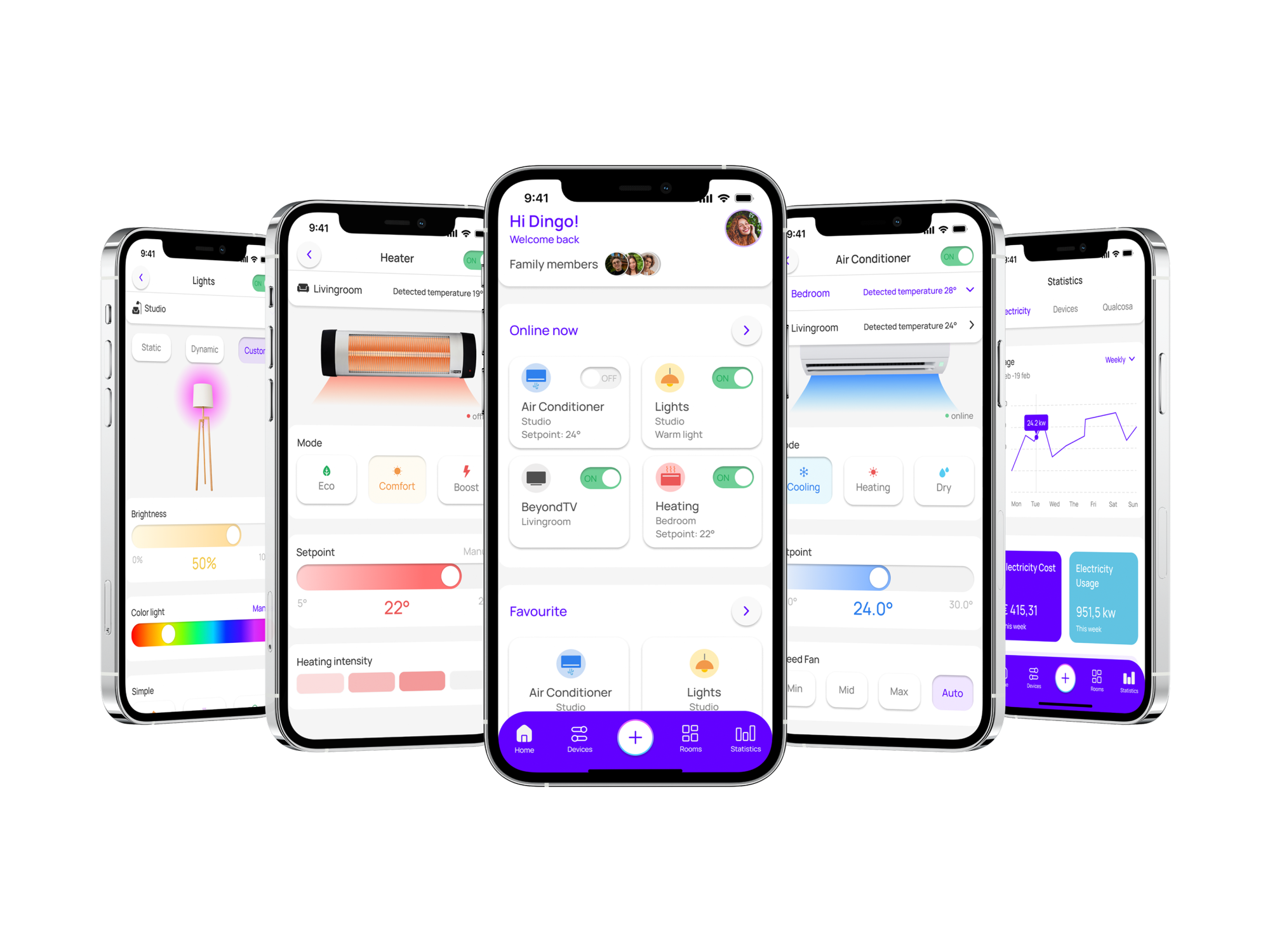
IoT is ground we know well. With UNAMobile, Master's home automation app, the previous version had been generated with a cross-platform tool, and we rewrote it natively: choosing a native Android (Kotlin) and iOS (Swift) architecture proved strategic for delivering high performance, and interacting with the IoT protocol required a deep understanding of low-level communication mechanisms. With Stone Connect Wi-Fi, for Zoppas Industries' connected radiators, the challenge was completing system setup even in fully offline situations, on networks with no internet access. With iSee Connect, the smart glasses for blind and visually impaired users made by iVision Tech, the challenges were OTA (over-the-air) firmware updates and keeping the connection between device and app stable.
Let's give the other side its due, too. If your object sends its own data to a cloud service and the app simply queries that service, you're not in the scenario just described: you're back to an app talking to a server, and there cross-platform works perfectly well. It's not true, either, that direct IoT is impossible with cross-platform: Nordic Semiconductor, for instance, publishes an official Flutter version alongside its native library. The defensible position isn't that it can't be done — it's that every extra hardware capability becomes one more dependency on someone else. When the app is the interface of the physical product you sell, that chain of dependencies isn't a technical detail: it's a business risk.
Time is the real judge: maintenance and longevity
This is the cost that never shows up in a quote. A cross-platform framework is a middleman, and a middleman can change strategy or stop existing altogether: Xamarin, for years one of the industry's most solid choices, was officially discontinued by Microsoft on May 1, 2024, and anyone using it had to migrate. Apache Cordova, the historic foundation of hybrid apps, publicly admits it's short on contributing developers. Microsoft had already removed it from its own tools back in 2021 due to declining popularity.
Even frameworks in perfectly good health force migrations: React Native rebuilt its own internal foundations, and apps already written had to adapt. It solved real problems, but the bill is paid by whoever already has an app published and working. Even Shopify, React Native's most committed champion, writes that updating its apps for every new version of the framework "requires a significant amount of work." Swift and Kotlin, by contrast, evolve together with the platform, with no middleman deciding when it's time to redo everything.
Then there's the organizational cost, which is the most underestimated of all. In 2018, Airbnb dropped React Native to go back to native, stating it hadn't managed to meet its original goals: debugging difficulties (finding errors) and, above all, the burden of effectively maintaining three platforms instead of two (iOS, Android, and the React Native layer in between). It's fair to add that in the same write-up, Airbnb acknowledged that when it worked, the experience lived up to expectations. Dropbox reached a similar conclusion when it abandoned its own shared C++ codebase: in-house tooling to build and maintain, and difficulty hiring and retaining developers, because mobile engineers weren't interested in learning C++. Choosing the platform's standard tools is also a choice about how easily you'll find people to hire.
So when is cross-platform the right choice?
Often. With small teams, or without mobile specialists, cross-platform multiplies your force: that's exactly why Airbnb adopted it in the first place (it didn't have enough mobile developers), and it's the benefit Shopify claims today, with teams doing more without adding headcount. Real code sharing, too, runs high: Instagram measured between 85% and 99% of code shared between iOS and Android, depending on the feature.
It's not a shortcut for secondary projects either. Shopify moved all of its apps to React Native — not a side experiment tucked away in a corner of the company — and five years on it publishes the numbers: over 99.9% of sessions with zero crashes, three-quarters of loads under half a second. Flutter, for its part, is particularly well suited to cases where the interface needs to look like your brand rather than the platform: if the visual identity is strong and needs to stay identical across both systems, its graphics engine becomes an advantage rather than a limitation.
The most interesting data point, though, is where they themselves draw the line. Shopify itself states it doesn't use React Native when it needs extreme performance, very intensive processing, heavy background parallel work, support for older devices, or low-level SDKs (tools that work close to the hardware). It also adds that native expertise remains essential for hardware features and for optimization. It's a map of the boundaries drawn by a company that genuinely loves cross-platform.

The questions to ask before choosing
As with any technology choice, the useful question isn't "which is better" but "which is right for us." In our experience, six questions are enough to guide the decision.
Is the app your main product or a supporting channel? If it's the product your business is built on, it's worth investing in the choice that ages best; if it's one channel alongside others, speed of getting it up and running matters more.
What time horizon does the product have? Five or ten years exposes you to the risk of the framework changing course — Xamarin and Cordova are the lesson here. One or two years, it doesn't.
Do you need the app to look and behave like iOS and Android, adopting system updates as soon as they land? Or does it have its own visual identity, identical everywhere?
How much do hardware and system features matter: sensors, camera, background operation, widgets, watches? The more they matter, the more native code you'll end up writing regardless.
Does your app control a physical device? This is the strongest signal pointing toward native: here the app isn't a communication channel, it's the interface of the product you sell.
What's your budget, and over what time frame are you looking at it? To get onto both stores quickly while keeping upfront costs down, cross-platform is the most direct path: one build instead of two. But if you're calculating over the product's entire lifespan, that calculation also has to include the migrations the framework will eventually force on you.
If you read back through the answers, you'll notice that almost none of them are about speed.
So, for your app: native or hybrid?
An excellent interpreter covers almost every conversation, and for many projects it's exactly the right choice: faster, cheaper, perfectly adequate. But the product your business is built on, the one your customers will use every day for years, deserves to speak the native language of the devices it lives on.
At Moku we build both native and cross-platform apps, and we'll keep doing both: there's no absolute winner. Our experience, though, leads us to say that when a product needs to stay alive for years, and keep pace with platforms as they change, the native choice ages better. Because the difference between a native app and a hybrid app doesn't show up at delivery: it shows up when the app has to change.
With UNAMobile, we were brought in at exactly that point in the story: the app already existed, generated with a cross-platform tool, and the decision to rewrite it natively came when the product needed to grow. It's the case that best sums up everything we've covered here. The right choice for your product depends on details that are worth looking at together.